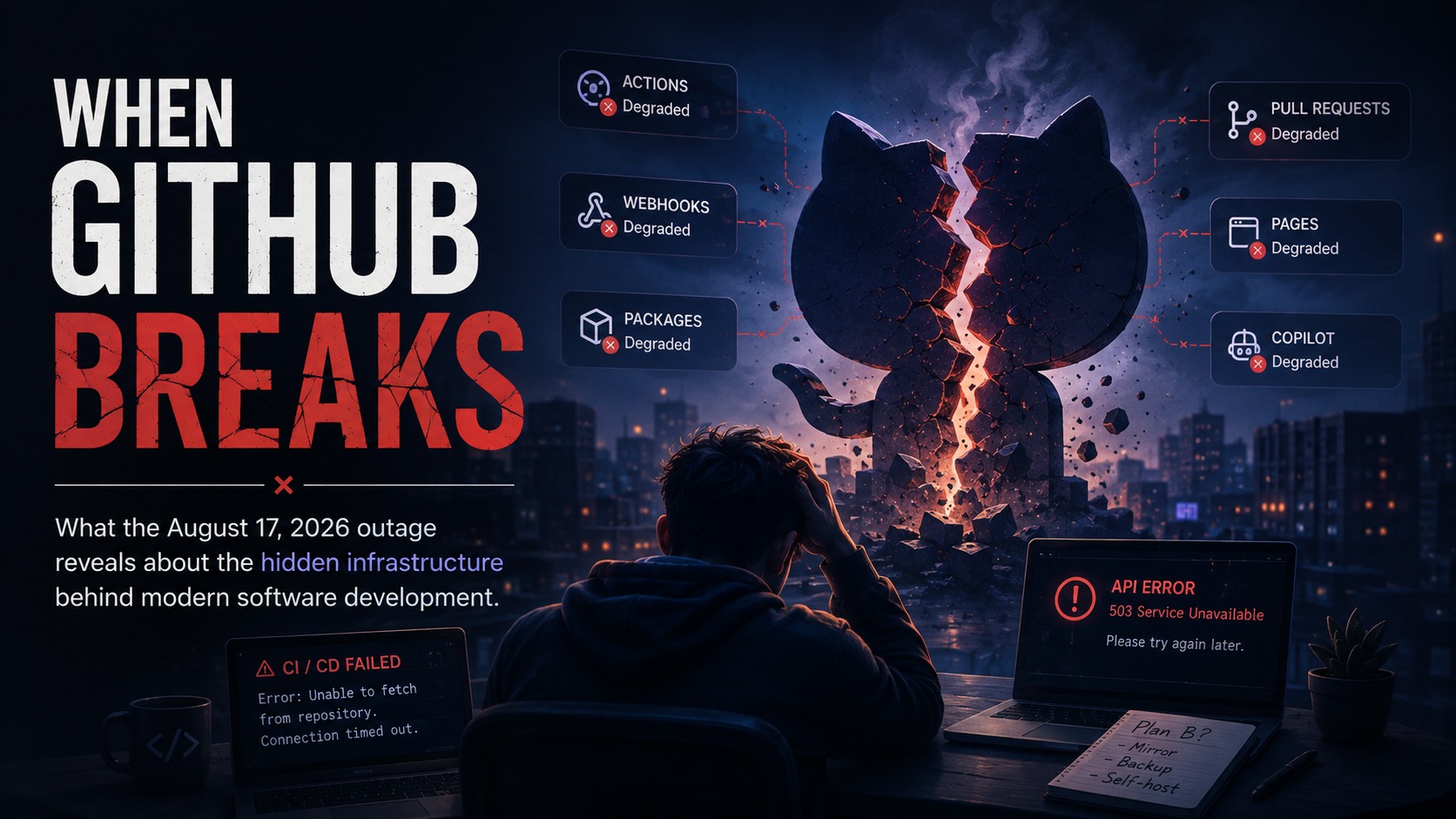
When GitHub Breaks: The Hidden Dependencies of Modern Software Delivery
When GitHub Breaks
What the August 17, 2026 outage reveals about the hidden infrastructure behind modern software development, the illusion of distributed version control, and how to build realistic fallbacks.
1. The Morning Everything Froze
At first glance, a GitHub outage sounds like a mild inconvenience: the website is temporarily down, developers grab another cup of coffee, and once the status page turns green, everyone gets back to work.
For years, the developer pipeline was conceptually simple:
Write code -> Git repository -> Pull request -> CI / Tests -> Code Review -> Build -> Deploy.
In modern software teams, GitHub is no longer just a remote folder where you back up code. It sits squarely in the middle of almost every step of that pipeline:
- It is the team’s identity and permission gate.
- It is the governance layer where PRs, approvals, and branch protections live.
- It is the compute engine running tests and packaging builds through GitHub Actions.
- It is the event router firing webhooks to deploy infrastructure, trigger scanners, and notify Slack.
- It is the content host serving install scripts from
raw.githubusercontent.comand release binaries.
When that single hub breaks, the problem is not just that you cannot view a pull request. The real question is:
How much of your daily engineering workflow can survive if GitHub disappears for an afternoon?
The events of August 17, 2026 offered a clear real-world demonstration.
2. What Happened on August 17?
On August 17, GitHub experienced a widespread service disruption that rippled across nearly every layer of its platform.
According to public status reports and observed telemetry:
- Web and API traffic experienced sustained error rates of roughly 20%, leading to intermittent UI failures, dropped GraphQL queries, and API timeouts.
- Archive and raw content downloads saw error rates jump to approximately 50%.
- GitHub Actions runner queues backed up, leaving builds queued indefinitely or failing during setup.
- Pull Requests, Issues, Webhooks, GitHub Pages, and Git operations over both HTTP and SSH all degraded simultaneously.
- GitHub Copilot threw token authentication and proxy errors, stalling AI-assisted editor completions.
GitHub eventually identified a problematic upstream component, applied a fix, and services gradually returned to normal.
GitHub’s initial public updates did not provide a detailed postmortem, and there is no need to invent a fictional root cause. What is much more interesting to analyze is the pattern of failure and what it tells us about our own systems.
3. The Illusion of “Distributed” Git
One of the most common mistakes is assuming that because you use Git, your workflow is automatically decentralized.
Git itself is completely distributed. When Linus Torvalds created Git in 2005, he designed it as a peer-to-peer graph of cryptographic commits. Your local machine has the full history, all branches, and every commit:
# Git is 100% functional offline on your laptop
git init
git add .
git commit -m "still working completely offline"
git branch feature/local-fix
git log --oneline
You can commit, branch, diff, and merge all day without an internet connection.
DISTRIBUTED GIT (What Git actually is)
+----------------+                                 +----------------+
|  Developer A   | <---------- P2P / SSH --------> |  Developer B   |
|  (Full Repo)   |                                 |  (Full Repo)   |
+----------------+                                 +----------------+

CENTRALIZED FORGE (How we actually work today)
+----------------+                                 +----------------+
|  Developer A   | ----+                     +---- |  Developer B   |
+----------------+     |                     |     +----------------+
                       v                     v
            +-------------------------------------------+
            |         CENTRALIZED HUB (GitHub)          |
            |  * Auth & Permissions                     |
            |  * Pull Requests & Code Reviews           |
            |  * Actions CI/CD Runners                  |
            |  * Webhooks to Cloud Infrastructure       |
            |  * Release Binaries & Raw Scripts         |
            +-------------------------------------------+
                                  |
                                  v
                       Production Cloud (AWS/GCP)
The breakdown happens the moment your local commits need to interact with the team. Over the last decade, we wrapped a distributed version control tool inside a centralized web platform for code reviews, testing, automation, and deployments.
When GitHub goes down, your local Git repository still works. But your team’s ability to move software from a laptop to production grinds to a halt.
4. The Blast Radius: What Actually Broke
The August 17 outage was instructive because it showed how many seemingly unrelated parts of modern engineering rely on the same provider.
1. Collaboration and Code Reviews
A developer can write a bugfix locally in ten minutes. But if Pull Requests and merge queues are unavailable, there is nowhere to review it, no automated check to verify it, and no branch protection rule to let it merge safely into main. The code is ready, but the process is stuck.
2. CI/CD and GitHub Actions
Actions is not just a test runner anymore. It is the packaging plant of the modern stack:
git push -> Trigger Action -> Build Container -> Run Tests -> Sign Binary -> Deploy to CloudWhen Actions fails, the issue is not “I cannot browse code.” It is:
“I cannot compile, test, or package my software into a deployable artifact.”
3. Webhooks and Automated Triggers
Webhooks quietly connect GitHub to the rest of the company. A single push or tag might trigger an ArgoCD sync, a security scan in SonarQube, a Slack notification, or a serverless deploy.
When webhooks fail or get delayed, external systems never receive the signal. Worse, when the platform comes back online, a flood of queued webhooks can fire out of order, triggering race conditions if your receivers are not built to handle replays cleanly.
4. Raw Scripts and Archive Downloads (raw.githubusercontent.com)
The 50% error rate on raw content and archive endpoints hit many teams unexpectedly because of a very common shortcut in Dockerfiles and setup scripts:
# Fragile pattern: downloading live scripts directly from raw GitHub URLs
FROM alpine:3.20
RUN apk add --no-cache curl bash
RUN curl -fsSL https://raw.githubusercontent.com/org/repo/main/install.sh | bash
RUN curl -LO https://github.com/org/tools/releases/download/v1.2.0/tool-linux.tar.gz \
    && tar -xzf tool-linux.tar.gz -C /usr/local/bin/
When raw.githubusercontent.com or release archives fail, everyday commands like docker build, CI environment setups, and auto-scaling server provisions fail immediately across the globe.
5. AI Pair Programmers (Copilot)
A few years ago, an outage only affected repository access. Today, when GitHub’s authentication or proxy endpoints stutter, developer IDEs experience latency spikes and AI coding assistants stop responding. It is a striking reminder of how deeply integrated our tools have become.
5. Runtime Availability vs. Delivery Availability
In systems architecture, there is an important distinction between the Data Plane (what keeps your live app running) and the Control Plane (what lets you configure and update the app).
This creates two different kinds of availability:
| Type of Availability | The Question | What Powers It | Impact During Outage |
|---|---|---|---|
| Runtime Availability | Can customers use your live application right now? | AWS, GCP, Cloudflare, Multi-AZ Databases | Zero impact (Production servers stay up) |
| Delivery Availability | Can engineers test, build, and ship a change to production? | GitHub, CI Runners, Webhooks, Merge Queues | 100% blocked (No builds, deploys, or hotfixes) |
A mature team might have 99.99% uptime on their production APIs. Servers span three availability zones, databases replicate seamlessly, and load balancers handle traffic effortlessly.
Normal Situation:
Runtime Healthy (100%) + Delivery Working (100%) -> System is adaptable

Platform Outage:
Runtime Healthy (100%) + Delivery Blocked (0%)   -> System is frozen

The Hotfix Dilemma:
Runtime Outage + Delivery Blocked (0%)          -> Cannot ship an emergency fix
If everything is calm, a 4-hour delivery outage is just a slow afternoon. But imagine discovering an active, critical security bug or a corrupted database migration during that exact window.
Your production infrastructure is in trouble, but your deployment pipeline is locked behind an external outage. You cannot merge, you cannot run CI, and you cannot ship a container. That is the real risk of dependency concentration.
6. What Can an Everyday / Solo Developer Do?
If you are an individual developer, student, or open-source contributor, you do not need complex enterprise disaster recovery tooling. You just need good local habits.
+------------------------------------------------------------------------+
|                SOLO & EVERYDAY DEVELOPER SURVIVAL GUIDE                |
+--------------------------------+---------------------------------------+
| The Risk                       | The Practical Habit                   |
+--------------------------------+---------------------------------------+
| Remote repository unreachable  | Keep clean local clones & git history |
| Cannot push or backup code     | Add a secondary remote (GitLab/Gitea) |
| Build fails without internet   | Cache dependencies locally (vendor)   |
| Released binaries vanish       | Keep built release artifacts saved    |
| Editor stalls on AI latency    | Know how to toggle offline mode       |
+--------------------------------+---------------------------------------+
1. Keep Your Local Clone Usable
Remember that your local Git repository is a first-class citizen. Do not treat your laptop as a temporary scratchpad. Write clean commits, create local feature branches, and test locally. If the remote goes down, your work does not have to stop.
2. Configure a Backup Git Remote
You can attach multiple remotes to any local repository. If GitHub is unreachable, you can push your branch to a secondary remote on GitLab, Bitbucket, or a cheap personal VPS:
# Add a backup remote
git remote add backup git@gitlab.com:yourname/your-project.git

# Push your branch to the backup host in one command
git push backup feature/my-work
3. Cache Your Dependencies
If your project needs to download 500MB of packages every time you run a test, you will get stuck whenever your internet or package registry hiccups.
- For Go: use
go mod vendor - For Rust: use
cargo vendoror keep a warm Cargo cache - For Node: keep your
node_modulesor local pnpm store intact instead of wiping it repeatedly
4. Keep Compiled Artifacts Saved
If you maintain a personal tool or library, do not rely on GitHub Release links as the only place where your compiled binaries exist. Keep copies on your local machine or an independent cloud drive so you can share them even if the web UI is unreachable.
7. What Can Production & Platform Engineers Do?
For teams running production systems, relying solely on GitHub Actions with default settings introduces subtle single points of failure. Here is how to harden your delivery pipeline.
+------------------------------------------------------------------------+
|                PRODUCTION PLATFORM ENGINEERING RUNBOOK                 |
+--------------------------------+---------------------------------------+
| The Vulnerability              | The Engineering Solution              |
+--------------------------------+---------------------------------------+
| Actions @v4 tag resolution     | Pin actions to immutable commit SHAs  |
| Dockerfile curl from GitHub    | Mirror tools in internal artifact hub |
| Base image download failures   | Pull through cache / private ECR      |
| CI runner lockouts             | Documented break-glass deploy runbook |
| Webhook replay chaos           | Enforce strict idempotency on workers |
+--------------------------------+---------------------------------------+
1. Pin GitHub Actions to Immutable Commit SHAs
Referencing mutable tags like uses: actions/checkout@v4 requires GitHub to resolve that tag on every run. If API services are slow, this step can timeout. Furthermore, tags can theoretically be modified upstream.
Pinning to the full 40-character commit SHA is both more reliable and more secure:
# Fragile: relies on live tag resolution
- name: Checkout repository
  uses: actions/checkout@v4

# Resilient & Secure: pinned to exact immutable commit hash
- name: Checkout repository
  uses: actions/checkout@b4ffde65f46336ab88eb53be808477a3936bae11 # v4.1.1
2. Eliminate Live GitHub Fetches from Dockerfiles
Never execute curl https://raw.githubusercontent.com/... | bash inside container builds or server bootstrap scripts.
Instead:
- Store third-party CLI binaries in an internal object store (Amazon S3, Google Cloud Storage, Cloudflare R2).
- Use internal artifact registries (Harbor, JFrog Artifactory, AWS ECR).
- Build base images ahead of time with the necessary tools pre-installed.
3. Build a “Break-Glass” Deployment Path
If GitHub is completely down for 8 hours and your production database has an active security hole, how will you deploy a patch?
Standard Path (Blocked during outage):
Local Code -> Push to GitHub -> GitHub PR -> GitHub Actions -> Production

Break-Glass Path (Emergency fallback):
Local Code -> Verified Signed Commit -> Local Docker Build -> Sign Image -> Push to ECR -> Deploy CLI
A practical break-glass workflow requires:
- Clear documentation for building and packaging production containers locally or on a private build server.
- Strict security controls: require signed commits and two-engineer approval for emergency deploys.
- An automatic reconciliation process to sync git history back to GitHub once the platform recovers.
4. Make Webhook Handlers Idempotent
Assume that webhooks will fail, get delayed, and be redelivered in duplicate or out of order when services recover.
- Use a unique event ID header (like
X-GitHub-Delivery) to deduplicate incoming webhooks. - Ensure that processing the same webhook twice produces the exact same state without double-deploying or corrupting records.
8. A Quick 5-Minute Resilience Test
You do not need a multi-month consulting project to evaluate your workflow. Simply ask your team these questions:
+------------------------------------------------------------------------+
|                  5-MINUTE TEAM RESILIENCE CHECKLIST                    |
+----+----------------------------------------------------------+--------+
| #  | Question                                                 | Ready? |
+----+----------------------------------------------------------+--------+
| 1  | Can we run our full unit test suite completely offline?  | [ ]    |
| 2  | Can we build our production Docker image without GitHub? | [ ]    |
| 3  | Are our CI actions pinned to immutable commit SHAs?      | [ ]    |
| 4  | Do we have an internal mirror for critical dependencies? | [ ]    |
| 5  | Do we know how to deploy an emergency hotfix manually?   | [ ]    |
| 6  | Can we access our team runbooks if the wiki is down?     | [ ]    |
+----+----------------------------------------------------------+--------+
If several answers are “No,” you have just discovered your hidden dependencies.
9. Final Thoughts: Designing for Reality
The point of analyzing the August 17 outage is not to criticize GitHub.
Operating a massive, globally distributed platform used by over 100 million developers is extraordinarily difficult. Failures are an inevitable reality of distributed systems.
The real takeaway is about our own engineering choices:
Reliability is not just keeping your production servers online. It is also keeping your ability to build, test, fix, and ship software when the tools around you stumble.
GitHub is an incredible platform that provides immense value. The goal is not to abandon it, but to understand what you depend on, eliminate unnecessary single points of failure, and make sure that when an upstream service pauses, your engineering team does not have to.
Sources & References
- GitHub Status : Official incident updates and service degradation metrics.
- SLSA Framework (slsa.dev) : Industry guidelines on build hermeticity, provenance, and supply chain security.
- Google SRE Book : Principles on cascading failures, fault domains, and control plane resilience.
- Pro Git (Scott Chacon & Ben Straub) : Internal architecture of Git cryptographic object graphs and distributed remotes.